What Does StoreForce Do? 8 Ways It Helps Retailers Execute Better
Written by: Ben Flikkema | Content Specialist at StoreForce
A district manager sees that three stores are missing their sales targets. One has less traffic than expected. Another has steady traffic, but fewer shoppers are buying. The third is short on floor coverage during its busiest hours. All three show up as a sales miss. Each calls for a different response.
That’s the kind of problem StoreForce was built to solve. Our team spent years working in retail at companies including The Home Depot, Sears, and Pep Boys. We saw how much work it took to put together a picture of what was happening in a store, then get the right people to act on it. The schedule, sales report, task list, and instructions could all live in different places.
StoreForce is a retail workforce management and store execution platform that connects scheduling, performance analytics, task management, and frontline communication. It helps retailers decide where to put their labour hours, see what’s affecting sales while the store is open, and give store teams clear direction on the work that needs to happen. Field and corporate leaders can then see where stores are on track and where they need support. Retail Workforce Management Software
Here’s what that looks like in practice.
Bring Your Stores Together and Execute Better
Give your teams the workforce management tools to drive better results.
Speak to Our Team
1. Put the labour hours you already pay for where they can have the most impact
Two stores with the same weekly sales can need very different schedules. A mall location might do most of its business on evenings and weekends. A street-front store might need more coverage around lunch. Even within the same store, a schedule can hit its weekly labour budget and leave the sales floor thin during the busiest hours.
StoreForce helps retailers build schedules around each location’s traffic patterns and see how well staffing covers its peak periods. Managers can review when experienced associates are scheduled, where shift changes leave gaps, and whether the team has enough floor coverage to deliver the kind of service the brand expects.
What that meant for Aesop. Aesop targeted 90% peak coverage and redistributed its existing labour hours around customer demand. In-store conversion rose from 49% in 2024 to 53% in 2025, while total labour hours held steady year over year. For a retailer weighing whether it needs more payroll to improve service, that’s a concrete reason to look at where existing hours land first.

2. See what’s behind a sales miss while the team can still respond
Sales tell a manager how the store is doing against plan. Traffic, conversion, and basket metrics help narrow down where to look next. If traffic is on plan and conversion falls, a manager can check whether shoppers are getting help, whether checkout is backing up, or whether key products are available. If conversion holds and units per transaction fall, the next coaching conversation might focus on how associates help customers complete a purchase.
StoreForce gives managers access to those KPIs during the trading day. Field leaders can review the same measures across locations and make performance conversations more specific. A district manager can open a call by asking what happened during Saturday’s busiest window and what the store will try next weekend.
What that meant for Tom Tailor. Across more than 400 locations, managers gained access to KPIs such as conversion, units per transaction, and average transaction value, with updates every 30 minutes. The retailer replaced manual reporting processes with a platform that combined performance reporting, scheduling, and communication.
[Read the Tom Tailor case study]
3. See what you’re asking stores to do before the work lands
Merchandising sends a floor reset. Marketing adds a promotion. Operations requests a safety check. Each request makes sense on its own. Put them on the same afternoon as a delivery and a traffic peak, and the store manager has to decide what can wait.
StoreForce gives corporate and field leaders a view of upcoming task volume. Teams can use workflows and approvals to review new requests against work that’s already planned, then stagger deadlines, adjust priorities, or target a request to the locations that need it.
This is where connecting tasks and scheduling pays off. The team planning a promotion can give stores time to set it up before the launch. The store manager can plan who will build the display and who will serve customers during setup. If signage arrives late, the field leader can see which stores need help before opening day.
4. Give every store clear instructions and a way to get help
A promotion can have one launch date and several versions. Some locations have the full assortment. Others need a smaller display. An associate opening on Friday needs to know which version applies, where to find the setup guide, and who can answer a question if the materials in the box differ from the instructions.
StoreForce lets retailers target tasks and communications by role and location and make supporting procedures available through the Knowledge Base. Store teams can access instructions on mobile devices and route questions to a support group or subject matter expert. The opening manager can pull up the current directions on the floor and keep the setup moving.
That matters for recurring work as much as for big launches. When an associate needs to handle an unfamiliar return, follow a closing procedure, or complete a new merchandising task, the answer should be available during the shift. Giving teams access to it also reduces their dependence on the person who happens to know where the instructions were last sent.

5. Verify critical work and see which stores need follow-up
A task marked complete tells a district manager somebody closed it. For a pricing change, front-window display, or safety check, the manager may also need to see what was done. StoreForce can require validation on critical tasks, including photo evidence where it helps a reviewer confirm the standard. A reviewer can accept the work or send it back for correction. Field leaders can also use structured store walks to check standards across locations.
For a Friday promotion, that could mean having stores upload a photo of the display by Thursday afternoon. A district manager can focus on the stores with missing submissions or setup issues and give them time to make a correction before customers arrive.
What that can mean for field teams. Nucleus Research found that organisations using StoreForce reported task completion rates of up to 90% and an average reduction of approximately 85% in district manager follow-up time. The organisations studied also consolidated an average of two to three standalone tools.
[Read the Nucleus Research findings]
6. Turn changes in other systems into work a store team can act on
A pricing system can tell you a price changed. The store still needs somebody to update the shelf label and confirm it’s right before the new price takes effect. Across hundreds of stores, relying on someone to relay every change creates a lot of manual work.
With the relevant integration and workflow configured, StoreForce can turn an event in another system into an assigned task. A pricing update can trigger a label change at affected stores. A planogram revision can create a reset task for locations that carry that assortment. The task can specify what changed, who owns it, and when it’s due, so managers can see which locations have acted and where a follow-up is needed.
The value is in carrying the change all the way to the sales floor. Corporate can issue the update, the right store teams can act on it, and field leaders can see whether the work is complete.
7. Make coaching specific to the shift, the store, and the opportunity
A district manager who tells every store to improve conversion leaves each manager to figure out where to start. With store-level and intraday KPIs, the conversation can get specific. Did conversion fall during the afternoon rush? Was the floor fully covered? Did the pattern show up in other stores with similar traffic?
StoreForce helps field and store leaders use shared performance data to decide where to spend their coaching time. A manager might notice that conversion softens during fittings on busy Saturdays, watch how the team hands customers off, and coach the team on that one part of the experience. The next comparable Saturday gives the manager a chance to observe the handoff again and review conversion alongside what they saw on the floor.
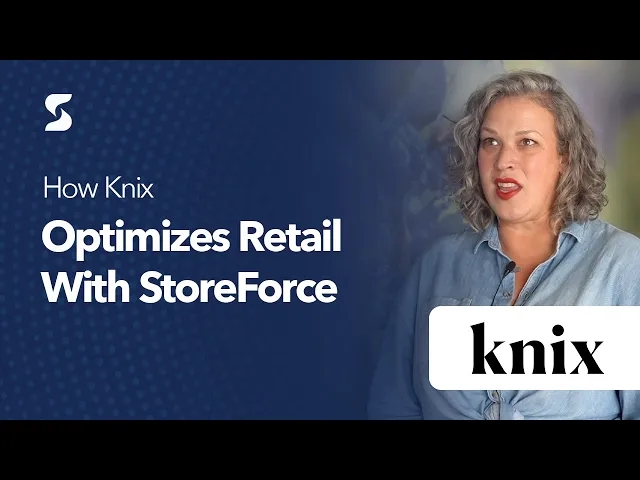
What that meant for Knix. Knix found that nearly half of its weekly sales happened in 20 peak hours. It moved from 60–70% peak coverage to a consistent 90% and scheduled stronger sellers during those windows. Knix reported a 17% increase in comparable sales in the first six to eight months after rollout.
8. Give corporate, field leaders, and stores the information each can act on
A store manager needs to know who’s on the floor at noon, which work is due before close, and whether sales are on pace. A district manager needs to see which stores are off plan and where a call or visit could help. Corporate needs to know whether the schedule, promotion, or directive it designed is working across the fleet.
StoreForce gives each level a view suited to those decisions. If one location misses a launch deadline, a district manager can help that store resolve the issue. If a dozen locations miss it because signage arrived after the setup deadline, corporate can change how the next launch is planned. Store-level visibility helps leaders see where to intervene and which decisions belong upstream.
Hibbett used StoreForce to reach roughly 90% peak coverage across most stores and weeks in a network of nearly 1,000 locations. Its team also used traffic and conversion data to uncover an opportunity on Sundays. That combination matters at scale. You can set a shared coverage standard across the fleet and give managers the data to see where their own location has room to improve.
[Explore the Hibbett case study StoreForce]
See how StoreForce would handle a day in your stores
Bring a Saturday when you had enough labour hours on paper but couldn’t keep up with demand. Or bring a promotion that took your district managers days to verify. In a StoreForce demo, walk through how you’d plan the coverage, assign the work, see what needs attention during the shift, and confirm what happened across locations.
That’s what we mean when we say “We make retail work.” Your store teams have the information to run the shift. Your field leaders know where their time will help most. Your corporate teams can see how their plans play out on the floor.
Book a StoreForce demo to see how it would work across your stores.

See How StoreForce Can Work for Your Stores
Book a quick chat with us today, to improve your retail operations tomorrow.
Speak To A Retail Expert


