Employee Scheduling Software for Retail: The Guide Before You Buy
Written by: Ben Flikkema | Content Specialist at StoreForce

Employee scheduling software should make building a schedule easier. For retailers, it also needs to help managers answer a bigger question: will this schedule support the store when customers arrive?
A calendar filled with shifts can still leave a store without a keyholder at opening, short of fitting-room support on Saturday, or stretched by a delivery nobody accounted for.
The right employee scheduling software connects employee availability and skills with customer demand, labour budgets, and store workload. It helps managers build a workable schedule, employees understand their shifts, and field leaders see where support is needed.
This guide explains the features to evaluate and the retail scenarios to test before choosing a system.
Bring Your Stores Together and Execute Better
Give your teams the workforce management tools to drive better results.
Speak to Our Team
What Is Employee Scheduling Software?
Employee scheduling software helps businesses create, publish, and update staff schedules. Common functions include availability management, time-off requests, shift assignments, open shifts, and employee notifications.
Retail-focused systems can also connect scheduling with sales and traffic forecasts, labour targets, role requirements, and performance reporting.
The capabilities vary. When comparing platforms, check which functions are included, how they connect, and what employees and managers can do on their devices.
What Makes Retail Scheduling Different?
Retail schedules must accommodate changing customer demand and work that continues behind the scenes.
A manager needs to consider:
Traffic peaks that differ by store and day.
Promotions, holidays, and local events.
Keyholders, supervisors, and other qualified roles.
Deliveries, replenishment, resets, and training.
Employee availability, requests, and shift changes.
Labour hours and spending targets.
For a multi-location retailer, those requirements must also work within shared standards. District leaders need visibility across stores, while managers need room to respond to local conditions.
9 Features to Look For in Retail Employee Scheduling Software
1. Demand Forecasting Connected to Sales and Traffic
Look for software that helps establish staffing requirements before employees are assigned to shifts.
Sales and transaction history reveal purchasing patterns. Traffic adds information about visitors who need service, including those who leave without buying. Forecasts also need a way to account for relevant promotions, events, and trading-hour changes.
Check the level of detail. A weekly hours recommendation provides limited guidance about a Saturday afternoon rush.
Ask in the demo
“Show us how demand changes throughout a trading day and how that affects the recommended staffing.”
2. Automated Scheduling With Clear Rules and Manager Control
Automated scheduling should give managers a useful starting point based on agreed inputs and requirements.
Those may include employee availability, approved leave, skills, labour targets, and required role coverage. Ask which inputs the system uses and how it handles requirements it cannot satisfy.
Managers should be able to understand the proposed schedule, identify gaps, and make informed adjustments.
Ask in the demo
“Generate a schedule using our requirements, show any unresolved gaps, and explain what happens when the manager edits a shift.”

3. Availability, Skills, and Role Coverage
An available employee may still lack the qualification needed for a shift.
A store opening needs someone who can access the premises. A closing team may need a trained supervisor. Some service areas require specific product knowledge or experience.
Evaluate how the software records those requirements and keeps them current. Confirm how temporary availability changes and approved time off affect schedule creation.
Ask in the demo
“Build an opening shift, then remove the only available keyholder. Show how the system identifies and handles the gap.”
4. Labour Budget and Coverage Visibility During Schedule Creation
Managers need to see the effect of a scheduling decision while they make it.
Look for visibility into scheduled hours, estimated labour cost, and coverage by time of day. Check whether moving a shift reveals the resulting gap elsewhere.
This helps managers assess both the budget and the service capacity of the schedule before publication.
Ask in the demo
“Move four hours into Saturday afternoon and show the effect on cost, peak coverage, and the period those hours came from.”
5. Mobile Access That Works for Employees
Employees should be able to find their published schedule, understand changes, and follow the request process without repeated calls to the store.
Test the employee experience directly. Check how the system distinguishes draft schedules from published shifts and pending requests from approved changes.
Review device access, shared-device arrangements, and connectivity requirements for your stores.
Ask in the demo
“Show an employee checking next week’s shifts, submitting a request, and receiving confirmation of the decision.”
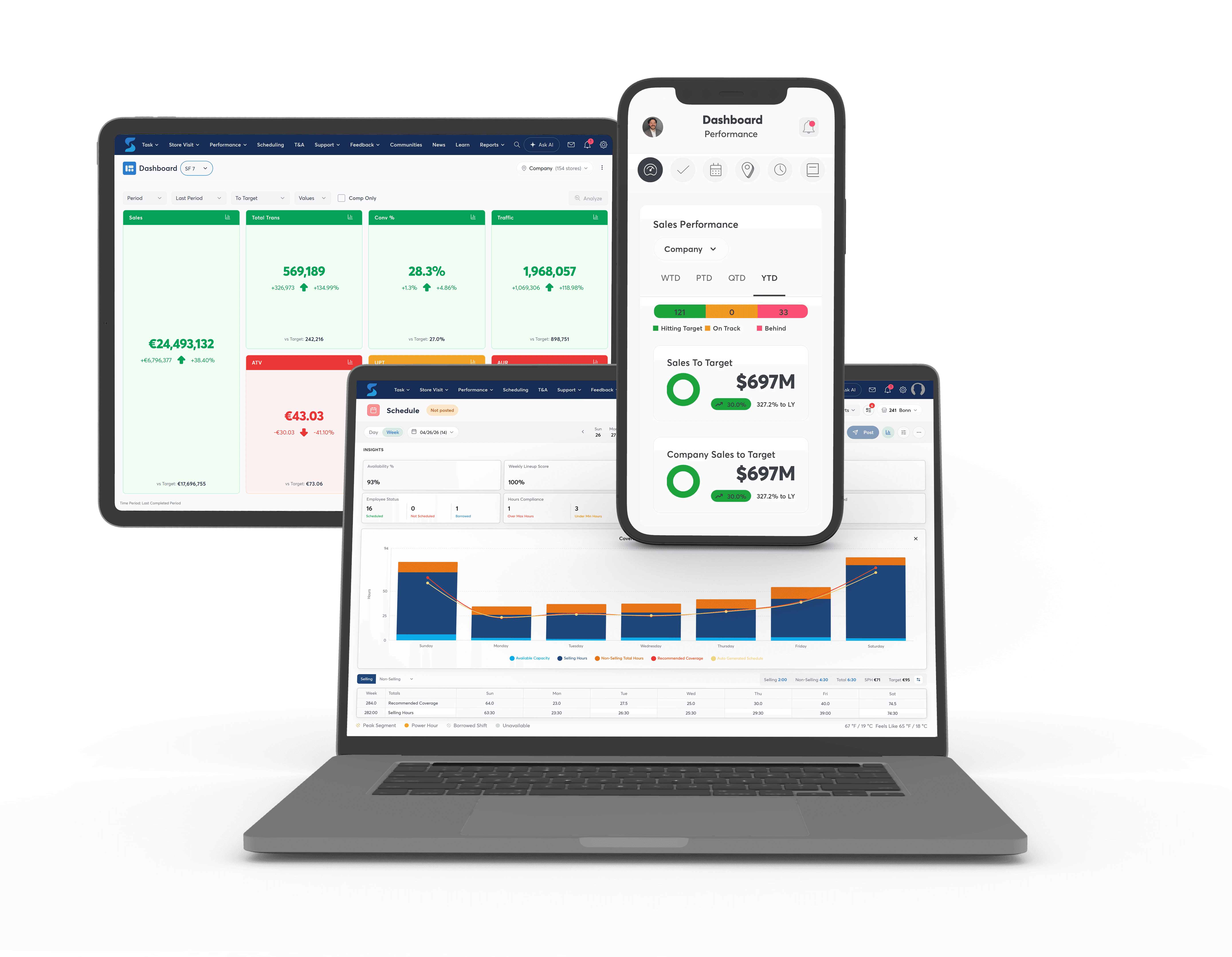
6. Open Shifts and Swaps That Preserve Coverage
Shift flexibility needs a clear process.
A replacement may need the right skills, availability, and remaining capacity to work the hours. A swap should preserve essential role coverage and update the schedule once approved.
Check what happens when several employees request the same shift, when nobody responds, and when a request remains unresolved near the shift start.
Ask in the demo
“Replace a closing shift and show how eligibility, approval, and confirmation work for the employee and manager.”
7. Multi-Location Scheduling and Field Visibility
For retail groups, assess how the platform supports both store-level work and oversight across the network.
District leaders should be able to identify relevant exceptions without opening every schedule individually. Where employees work across stores, check how the system handles location eligibility, overlapping assignments, and total hours.
Shared standards should accommodate meaningful differences in format, operating hours, and workload.
Ask in the demo
“Show a district’s coverage gaps, then demonstrate assigning an eligible employee to another store without creating a conflict.”
8. Operational Work Included in the Coverage Picture
Six people on the schedule does not necessarily mean six people available to serve customers.
Receiving, merchandising, stock processing, and training all consume time. Evaluate how the system makes those assignments visible when managers review selling coverage.
If task management is part of the platform, ask how upcoming work informs the schedule and how changes are communicated.
Ask in the demo
“Add a delivery and a display reset to a busy day. Show who completes them and what customer-facing coverage remains.”

9. Reporting and Integrations That Close the Planning Loop
Scheduling improves when managers can compare the plan with what happened.
Look for relevant reporting on scheduled versus actual hours, coverage, labour cost, and store performance. Confirm the definitions and refresh times so users understand what they are comparing.
Check the proposed connections with POS, traffic, HR, time and attendance, and payroll systems. Compatibility, data fields, implementation responsibilities, and update frequency need to be explicit.
Ask in the demo
“Walk us through the data entering the system, the schedule it supports, and the results managers review afterward.”
Test the Software With a Real Retail Week
A prepared demonstration can make almost any schedule look straightforward. Bring a week that represents your operation.
Include:
A busy trading period.
Approved time off and limited availability.
A required opening or closing role.
A delivery or merchandising deadline.
A shift swap or absence.
A labour budget.
Ask the vendor to carry that scenario from planning through publication and a subsequent change.
Watch how much manual work remains. Can the manager understand the recommendation? Can employees follow the process? Can the district leader see the exception and its resolution?
Compare the Full Cost of Employee Scheduling Software
Request pricing based on your store count, workforce, required capabilities, and rollout plan.
Confirm which costs apply:
Cost area | What to clarify |
|---|---|
Subscription | Pricing basis, included features, and required modules |
Implementation | Configuration, data migration, and project support |
Integrations | Connection development, testing, and ongoing maintenance |
Training | Manager, employee, and administrator support |
Devices and access | Any additional store equipment or access requirements |
Ongoing administration | Internal effort needed to maintain rules and data |
Then assess value using your own baseline. Measure schedule-building time, manual corrections, coverage gaps, actual hours, and employee questions before the pilot.
Review those outcomes alongside service and execution so the evaluation captures schedule quality as well as speed.
How StoreForce Supports Retail Employee Scheduling
StoreForce helps retailers build schedules using traffic patterns, sales forecasts, and performance information. It supports automated schedule creation, peak coverage analysis, and employees working across stores or picking up additional shifts through mobile access.
Its broader platform connects scheduling with task management, communication, and performance visibility, helping teams coordinate the work behind the schedule.
Bell used StoreForce’s Autogen scheduling and KPI visibility across more than 500 stores. The retailer reported conversion increasing by up to 9% within three months and a 2.5% reduction in labour inefficiencies, alongside better overtime control.
[Read the Bell case study]
Book a StoreForce demo and bring a representative schedule. See how the platform handles your demand, employee requirements, workload, and day-to-day changes.

See How StoreForce Can Work for Your Stores
Book a quick chat with us today, to improve your retail operations tomorrow.
Speak To A Retail Expert


