Why Mobile Workforce Management in Retail Is So Important
Written by: Ben Flikkema | Content Specialist at StoreForce

Retail work happens on the shop floor, in the stockroom, and across locations. Managers need to check coverage, associates need current instructions, and district leaders need to follow up on store issues while they are visiting the field.
Mobile workforce management gives retail teams access to schedules, tasks, communication, and operational information through mobile devices. It helps people manage work where it happens and gives leaders visibility across stores and shifts.
This guide explains how mobile workforce management works, who uses it, and what retailers should look for when choosing a system.
Bring Your Stores Together and Execute Better
Give your teams the workforce management tools to drive better results.
Speak to Our Team
What Is Mobile Workforce Management?
Mobile workforce management, often shortened to MWM, combines software and processes to help businesses coordinate employees through phones, tablets, and other connected devices.
Depending on the platform, it can support employee scheduling, task assignments, communication, time and attendance, store audits, and performance reporting.
In retail, a mobile workforce includes people who:
Work on the shop floor or in the stockroom.
Move between stores or sites.
Manage teams across different shifts.
Need instructions and updates while away from a desk.
An associate working at one location can be part of a mobile workforce. So can a district manager visiting several stores. Both need access to relevant information during their working day.
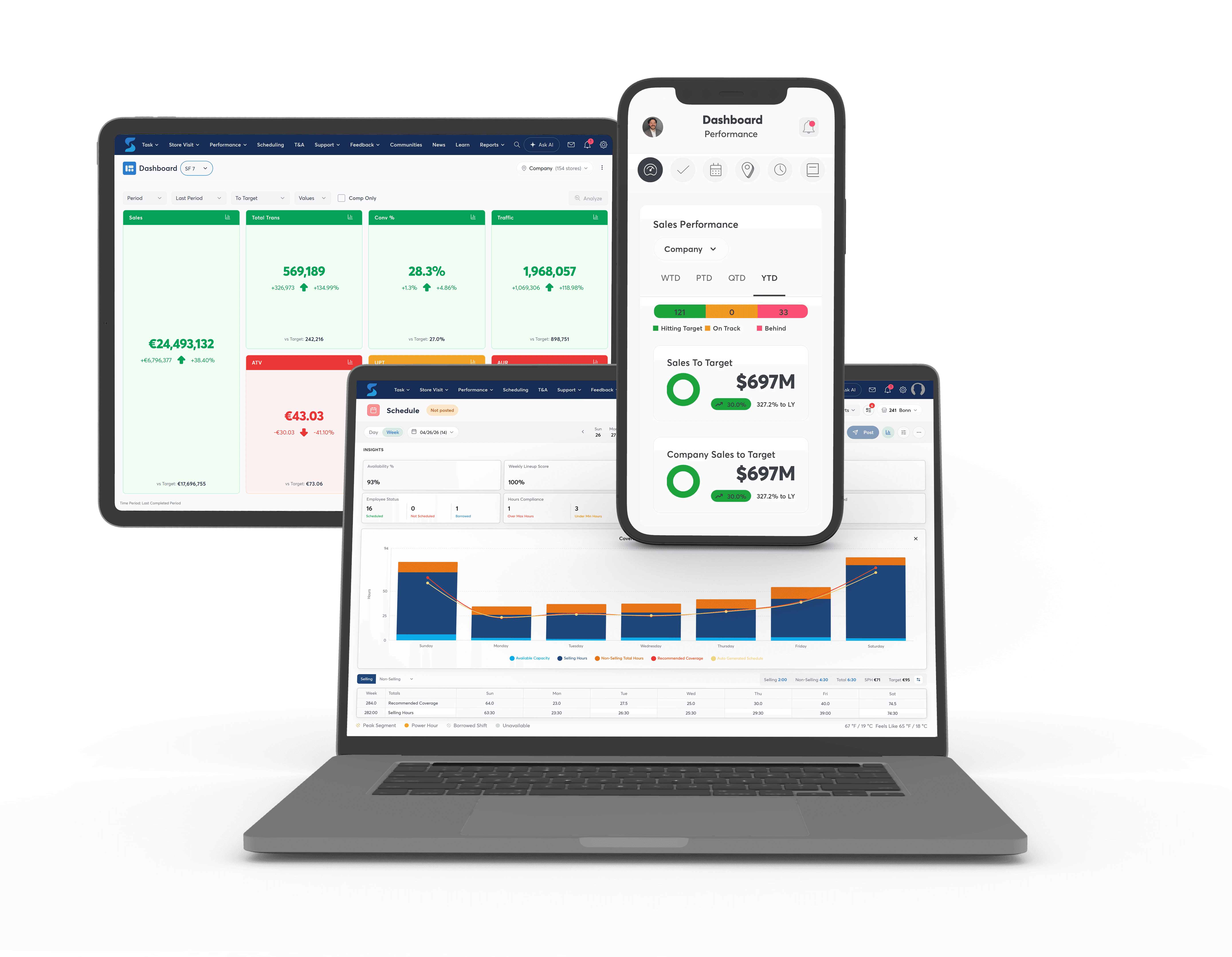
Mobile Workforce Management vs. Traditional Workforce Management
Workforce management covers activities such as forecasting labour needs, scheduling employees, tracking attendance, and reviewing productivity. These capabilities can support both single-location and distributed businesses.
Mobile access extends those capabilities to employees and managers wherever they are working.
Activity | How mobile access helps |
|---|---|
Employee scheduling | Associates can check published shifts, while managers can review coverage away from the office |
Task management | Teams can access instructions, update progress, and submit evidence where the work takes place |
Communication | Employees can find updates relevant to their role, location, or shift |
Store audits | Field leaders can record findings during a visit and coordinate follow-up |
Performance review | Managers can check relevant KPIs while observing store conditions |
The scope varies between systems. Some focus primarily on scheduling and attendance. Others connect workforce planning with broader retail execution.
Who Uses Mobile Workforce Management in Retail?
Different roles need different information and actions.
Store associates need to know when they work, what they are responsible for, and where to find current instructions. Mobile access can help them check a procedure or complete an assigned task without searching through paper files.
Store managers and supervisors need visibility into coverage, task progress, and store performance. They can use that information to coordinate the shift and follow up on exceptions.
District and regional managers need to review stores across their area, complete visits, and track agreed actions. Access during a visit makes it easier to discuss findings with the manager while the details are fresh.
Visual merchandising and operations teams need to distribute relevant instructions and see whether work is ready by the required deadline.
Head office leaders need a consistent view of execution across locations so they can identify recurring issues and direct support.
For growing retailers, these needs become more difficult to coordinate as stores, shifts, and roles multiply.

Why Mobile Workforce Management Matters in Retail
Keep information accessible where teams need it
An associate setting up a promotion should be able to find the approved instructions at the display. A district manager reviewing a store should be able to record the finding during the walk.
Accessible information reduces the steps between receiving direction and carrying out the work. It also helps teams check the current version when instructions change.
Make shift and task ownership clearer
A shared system can show who owns a task, when it is due, and what remains unfinished.
That matters at handoff. If the opening team leaves replenishment incomplete, the next shift needs to know which products remain, who will finish the work, and whether anything is blocking it.
Give managers earlier visibility into gaps
Managers need to see which tasks are overdue, where coverage needs attention, and which issues require a decision.
That visibility helps them act during the shift. A missing promotional sign reported before launch gives the district team time to help. The same issue discovered afterward becomes a lesson for the next campaign.
Support more consistent execution across stores
Targeted instructions, shared standards, and structured follow-up help locations work towards the same expectations.
Managers still need flexibility to respond to local conditions. A useful system makes those exceptions visible so field leaders can distinguish a justified adjustment from a gap that needs correction.
How to Choose a Mobile Workforce Management System
Evaluate the system through the work your teams perform each day. Ask vendors to demonstrate complete workflows using realistic retail scenarios.
Capability | What to check during a demonstration |
|---|---|
Mobile usability | Can an associate find a shift, instruction, or assigned task quickly? |
Scheduling | Can managers review demand, coverage, availability, and role requirements? |
Task management | Can work be targeted, assigned, updated, and verified? |
Store visits and audits | Can a finding lead to an owned action with a deadline and follow-up? |
Communication | Can employees find current information relevant to their store and role? |
Performance visibility | Can managers review the measures they need at useful decision points? |
Access and administration | Can permissions and workflows reflect different roles and store formats? |
Integration | How will the platform exchange information with existing retail systems? |
Check the practical requirements for store use
Confirm which capabilities work on the devices your teams will use. Ask about shared devices, individual sign-in, connectivity requirements, and what happens when a connection drops.
Also check how updates appear. Associates should be able to distinguish a new instruction from an older version and understand whether a notification requires action.
Follow an issue through to resolution
For audits and critical tasks, completion is only part of the workflow.
Ask to see what happens when a district manager rejects a display photo or identifies an unresolved issue during a visit. The system should make the next action, owner, and status clear.
Plan adoption alongside implementation
Choose a small set of workflows for the initial rollout. Train employees using examples from their roles, then confirm they can complete those actions independently.
Decide where current instructions will live and who maintains them. Leaving several competing sources in use makes it harder for teams to trust the new process.
Common Challenges to Address
Inconsistent use across shifts. Opening teams may adopt a system quickly while later shifts receive less support. Include different shifts in training and check usage through the work they need to complete.
Too much communication. Broad messages can make important updates difficult to find. Target information by role and location, and make required actions explicit.
Unclear ownership. Technology cannot resolve an assignment that has no accountable person. Define who acts, who approves, and who handles exceptions.
Disconnected workflows. An audit recorded in one tool and followed up elsewhere can create manual work. Review how findings, tasks, communication, and reporting connect before choosing a platform.
Limited access. Device availability and connectivity affect whether employees can use the system during the shift. Test those conditions in actual stores.
Bring Your Stores Together and Execute Better
Give your teams the workforce management tools to drive better results.
Speak to Our Team
How StoreForce Supports Mobile Workforce Management
StoreForce connects scheduling, task management, communication, store visits, and performance visibility for retail teams.
Managers can use workforce and demand information to review coverage. Teams can access assigned work and supporting instructions, while leaders follow progress and address exceptions.
For a district manager, that creates a more connected visit. They can review performance, discuss conditions with the store manager, record findings, and coordinate follow-up within the broader StoreForce environment.
For head office, it provides visibility into how plans are being executed across locations and where stores need additional support.
Book a StoreForce demo to see how your scheduling, task, communication, and store-visit workflows could work together.
Mobile Workforce Management FAQs
Do employees need to travel between locations to use mobile workforce management?
Employees working within one store can benefit from mobile access. Associates and managers often need information while serving customers, processing stock, or completing tasks away from a desk.
Is mobile workforce management suitable for smaller retailers?
Suitability depends on operational needs, the workflows required, and the cost of implementation. Retailers with several shifts or locations may find particular value in coordinating schedules, instructions, and follow-up.
Does every mobile workforce management system include audits and task management?
Features vary. Confirm whether the platform includes each workflow your teams require and which functions are available on mobile devices.
What should a retailer prioritise when choosing a system?
Start with the daily work creating the most friction. Test those workflows from assignment through completion, then assess usability, integration, administration, and rollout requirements.

See How StoreForce Can Work for Your Stores
Book a quick chat with us today, to improve your retail operations tomorrow.
Speak To A Retail Expert


