How Automated Scheduling Impacts Retail Operations and Efficiency
Learn how automated scheduling impacts retail operations by improving coverage, reducing manager administration and helping store teams work more efficiently.

Automated scheduling can improve retail operations by helping stores put the right employees in the right places at the right times. Instead of managers manually building schedules around forecasts, employee availability, labor requirements and other factors, scheduling software can bring that information together and automate more of the process.
But the impact goes well beyond how quickly a schedule gets created.
A better schedule affects what happens once employees arrive at the store. It can improve coverage during busy periods, give managers more time to spend on the floor, make it easier to complete operational work and reduce the number of workforce problems teams have to solve throughout the day.
In that sense, automated scheduling isn't simply a scheduling efficiency.
It's an operational efficiency.
Take control of your store performance
Book a demo with StoreForce today and run your retail operations better tomorrow.
Book A Demo
How Does Automated Scheduling Change Day-to-Day Retail Operations?
Scheduling happens before a shift begins, but stores experience the consequences of those scheduling decisions throughout the day.
When coverage doesn't match customer demand, employees can become stretched during busy periods. Checkout lines may grow. Customers may have difficulty finding assistance. Replenishment can fall behind and managers may have to constantly move employees around the store.
When too much labor is scheduled during slower periods, the retailer may be using valuable labor hours at times when they have less impact.
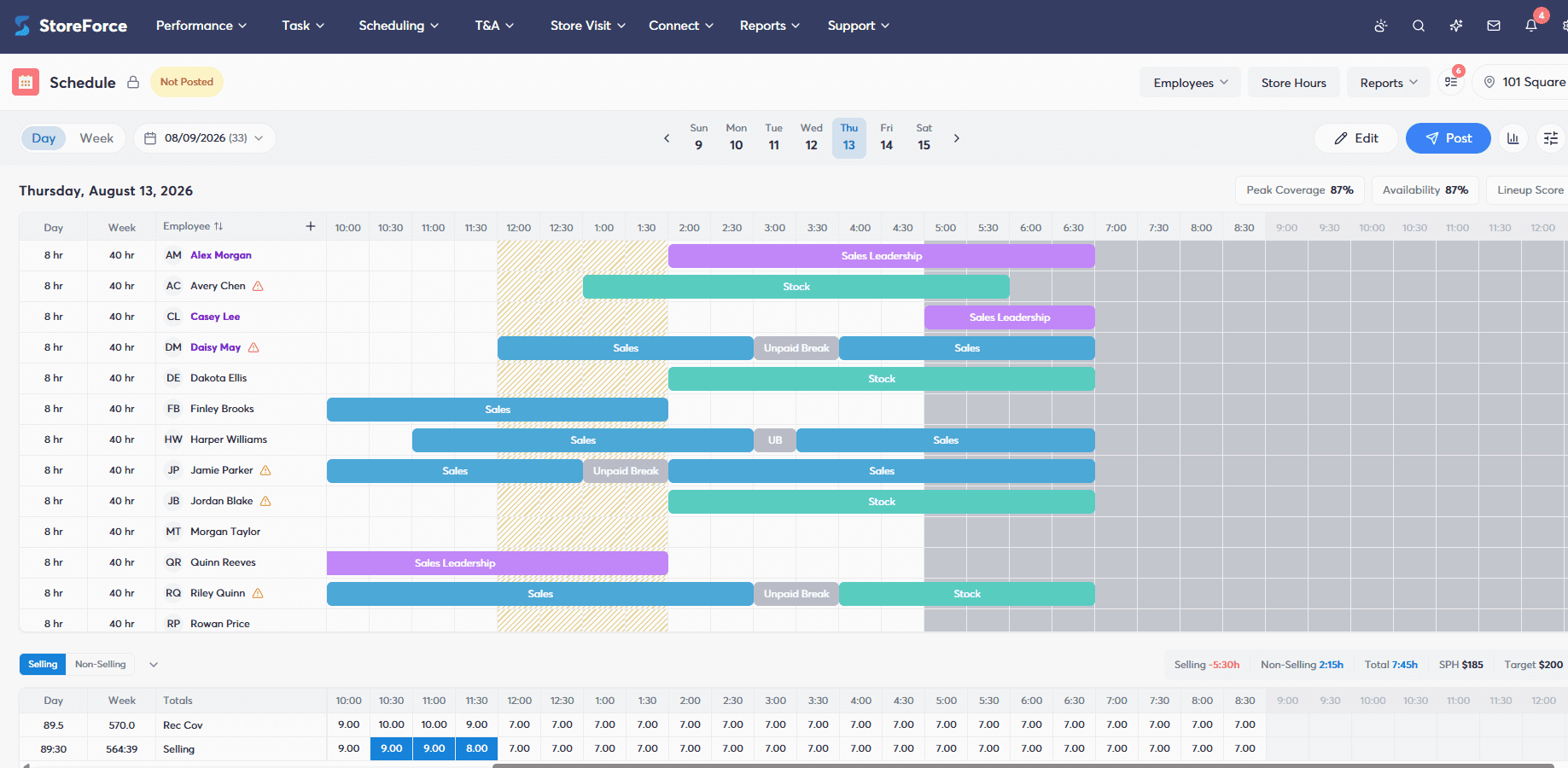
Automated scheduling helps retailers build workforce coverage around expected store requirements rather than relying entirely on managers to manually reconcile all of the variables involved.
That gives the store a stronger starting point before the doors even open.
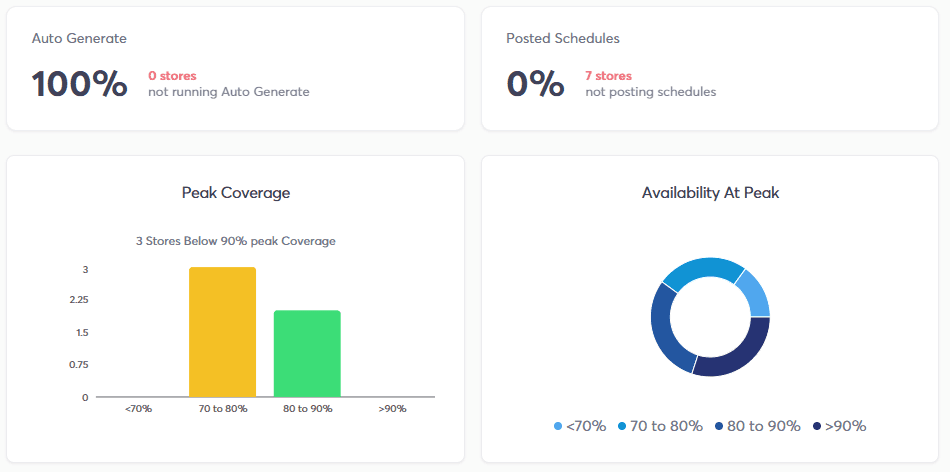
How Does Automated Scheduling Improve Peak Coverage?
The total number of labor hours scheduled for a day only tells part of the story.
When those hours are scheduled matters just as much.
Imagine two stores are each allocated 100 labor hours.
One distributes those hours relatively evenly throughout the day. The other uses customer traffic and demand patterns to place more employees on the floor during its busiest periods and fewer during quieter periods.
Both stores used the same amount of labor.
But the second store may be better positioned to serve customers when demand is highest.
Automated scheduling can use demand information such as customer traffic patterns and sales forecasts to help retailers determine when coverage is actually required.
That can make labor more closely reflect what is happening on the shop floor.
How Does Automated Scheduling Affect Store Manager Efficiency?
One of the biggest operational benefits of automated scheduling can be the time it gives back to store managers.
Building a retail schedule manually requires managers to consider a large number of variables.
Who is available? How many labor hours can the store use? When will traffic be highest? Which employees can work particular shifts? Where are the coverage gaps? Does the schedule comply with workforce requirements?
Then circumstances change and parts of the schedule may need to be reconsidered.
Automating more of that process reduces the amount of time managers spend manually assembling and reconciling scheduling information.
That doesn't eliminate the manager's role.
It allows the manager to spend more of their time managing the store instead of managing the schedule.
That time can go toward coaching employees, supporting customers, monitoring execution and responding to what is actually happening on the floor.
Can Automated Scheduling Reduce Reactive Store Management?
Retail will always involve unexpected situations.
An employee may call out. Customer traffic can be different from the forecast. A shipment may require more attention than expected. An operational issue can suddenly become the day's biggest priority.
Automated scheduling can't eliminate those situations.
What it can do is help the store begin the day with a workforce plan that already accounts for more of the information managers would otherwise have to reconcile manually.
That matters because poor workforce planning can make a store unnecessarily reactive.
If the store begins a busy afternoon without enough coverage, the manager has to solve that problem while also running the store. Employees may be moved between areas, operational tasks may be delayed and the manager's attention shifts toward filling immediate gaps.
A stronger starting schedule reduces some of that avoidable firefighting.
Managers can then focus their judgment on the circumstances that actually couldn't have been planned for.
How Does Automated Scheduling Affect Employees on the Shop Floor?
The quality of a schedule influences how employees experience the workday too.
When coverage is too thin, individual employees may be responsible for more customers and operational work than the available workforce can comfortably support.
When coverage is better aligned with demand, work can be distributed across the team more effectively.
This doesn't mean every moment of every shift will be perfectly balanced. Retail demand changes quickly.
But scheduling employees around expected demand gives stores a better opportunity to have appropriate workforce capacity available when it matters.
Employees can focus on serving customers and completing their responsibilities rather than constantly compensating for avoidable staffing gaps.
Can Automated Scheduling Make Retail Task Execution More Efficient?
Customer demand isn't the only thing that creates a need for labor.
Stores also have work to complete.
Shipments need to be processed. Products need replenishment. Promotional displays change. Inventory needs to be counted. Employees require training. Audits, visual changes and daily operational tasks all consume workforce capacity.
A store can therefore appear appropriately staffed based on customer traffic while still struggling operationally if the workload hasn't been considered.
This is where workforce planning and store execution begin to intersect.
If a retailer knows that a particular day includes an unusually large shipment or important promotional change, that workload should be part of the conversation about the labor required to operate the store.
The objective is to schedule enough capacity to support customers and the work required to keep the store running.
How Does Automated Scheduling Affect the Customer Experience?
Customers will probably never know whether a retailer uses automated scheduling.
They can still experience the results.
A customer entering a store during a busy period cares whether someone is available to help them, whether fitting rooms are being managed, whether shelves are replenished and whether checkout lines are moving.
Each of those experiences can be influenced by workforce coverage.
Understaffing important periods can create service bottlenecks. Employees may be forced to prioritize one customer need over another simply because there aren't enough people available.
Better alignment between labor and customer demand gives stores a stronger opportunity to maintain service when traffic increases.
Customers may never see the schedule, but they experience the result of it every time they enter the store.
Does Automated Scheduling Improve Labor Efficiency?
Automated scheduling can improve labor efficiency, but that shouldn't automatically be interpreted as scheduling fewer people.
Labor efficiency is about making better use of the labor a retailer has available.
Consider a store that has 120 labor hours to use.
If too many of those hours are scheduled during quiet periods and too few are available during peak traffic, the store can simultaneously experience excess coverage and understaffing on the same day.
Reducing the schedule to 115 hours doesn't necessarily solve that problem.
Changing where the 120 hours are used might.
Automated scheduling can help retailers align labor more closely with expected demand so that workforce capacity is available when it can have the greatest operational impact.
That can help retailers manage labor costs while still protecting the coverage needed to serve customers and execute store work.
How Can Automated Scheduling Improve Consistency Across Stores?
Scheduling becomes more difficult to manage consistently as a retail network grows.
Different managers may have different approaches to forecasting coverage, interpreting labor requirements and building schedules. Some may be particularly strong schedulers, while others spend significant time manually adjusting their workforce plans.
Automation can create more consistency around the information being used to make those decisions.
Rather than every manager independently determining how demand should translate into workforce coverage, retailers can apply a more consistent scheduling approach across locations while still accounting for the needs of individual stores.
Managers still bring valuable local knowledge and judgment.
The difference is that they aren't required to build every part of the workforce plan manually from the ground up.
Does Automated Scheduling Replace Store Manager Decision-Making?
Automated scheduling should support store managers, not remove them from the process.
Retail stores operate in environments that are difficult to predict perfectly. Managers understand their employees, their customers, their local market and circumstances that software may not fully capture.
Their judgment still matters.
The benefit of automation is that managers don't need to spend as much of that judgment on repetitive scheduling calculations.
Software can process workforce requirements, employee availability and demand information to provide a stronger schedule. Managers can then review that plan and apply their knowledge where necessary.
It's a division of responsibility:
Automation handles more of the calculation. Managers focus more of their attention on the operation.
What Information Should Automated Retail Scheduling Consider?
The quality of an automated schedule depends on the information behind it.
For retailers, useful scheduling inputs can include customer traffic, sales forecasts, employee availability, labor requirements, peak hours and store workload.
Bringing those factors together helps move scheduling away from simply filling shifts.
The question changes from:
“Who can work?”
to:
“What does this store need, when does it need it and which available employees can provide that coverage?”
That is a much more operational way to think about scheduling.
How Does StoreForce Automate Retail Scheduling?
StoreForce Intelligent Scheduling and Labor Optimization help retailers build workforce schedules around the actual needs of their stores.
Scheduling can account for information such as customer traffic patterns, sales forecasts, employee availability and labor requirements to help retailers align workforce coverage with expected demand.
StoreForce also connects scheduling with other areas of retail workforce management, including Task Management, Time and Attendance, Team Communications and Store Performance Monitoring.
That broader connection is important because a schedule doesn't operate independently from everything else happening in a store.
Retailers need to understand customer demand, determine labor requirements, identify employee availability, build the schedule and then execute the work required throughout the day.
The process becomes:
Customer demand → Labor requirements → Employee availability → Automated scheduling → Store execution → Performance
Ultimately, the biggest impact of automated scheduling isn't how quickly a schedule appears on a screen.
It's what happens after that schedule reaches the store.
Better workforce coverage can give managers more time to manage, employees a stronger opportunity to focus on customers and operational work, and retailers a better foundation for using their labor efficiently.
That's when automated scheduling stops being simply a scheduling tool and starts contributing to better retail operations.

See How StoreForce Can Work for Your Stores
See how StoreForce brings employee scheduling, labor optimization, task management, and store execution together in one retail workforce management platform. Book a demo today to see what StoreForce can do for your teams.
Speak To A Retail Expert

