Better Align Team Availability With Customer Traffic in Retail
Having enough employees available isn't the same as having them available when customers need them.

Having enough employees available does not necessarily mean having them available when customers need them most.
Retailers can better align team availability with customer traffic by using digital workforce management tools to bring employee availability, traffic patterns, demand forecasts and labor requirements into the scheduling process. Instead of building schedules based primarily on who is available, retailers can consider when customers are expected to visit and make sure the right coverage is in place during those periods.
This is particularly important in retail because customer demand can change significantly throughout a single day.
A store may have enough labor hours scheduled across the week and still find itself overstaffed during quieter periods and understaffed during its biggest selling opportunities.
Better alignment comes from answering two questions together:
When can our employees work?
When do our customers need them?
Digital tools can help retailers bring those answers together and build schedules that make better use of the labor they already have.
Take control of your store performance
Book a demo with StoreForce today and run your retail operations better tomorrow.
Book A Demo
Why Is It Difficult to Align Team Availability With Customer Traffic?
Both employee availability and customer demand are constantly changing.
Employees may have different availability based on school, family commitments, other jobs, vacations or time-off requests. Retail teams can also include a combination of full-time and part-time employees with very different working patterns.
Customer traffic has its own variables.
Demand can change by hour, day of the week, store location, season and promotion. A Saturday afternoon may look completely different from a Tuesday morning, while two stores within the same retail organization may experience very different traffic patterns.
That creates a matching problem for store managers.
They need to understand not only who can work, but when the store actually needs those employees.
Digital workforce management tools can help by bringing more of the information required to make those decisions into the scheduling process.
1. Understand When Customers Are Actually Visiting
The first step is understanding when customer demand occurs.
Daily or weekly traffic totals can be useful, but they do not tell the whole story.
A store could receive 1,000 customers in a day, but those customers are unlikely to arrive at equal intervals from opening to closing.
There may be quieter periods followed by several hours when traffic increases significantly.
Those differences matter when planning labor.
Digital workforce management tools can use historical traffic patterns, sales information and forecasts to help retailers identify when customer demand is expected to rise and fall.
That can give retailers visibility into:
Quieter periods
Day-of-week patterns
Seasonal changes
Location-specific demand
Understanding those patterns establishes the first side of the scheduling equation: when the store needs people.
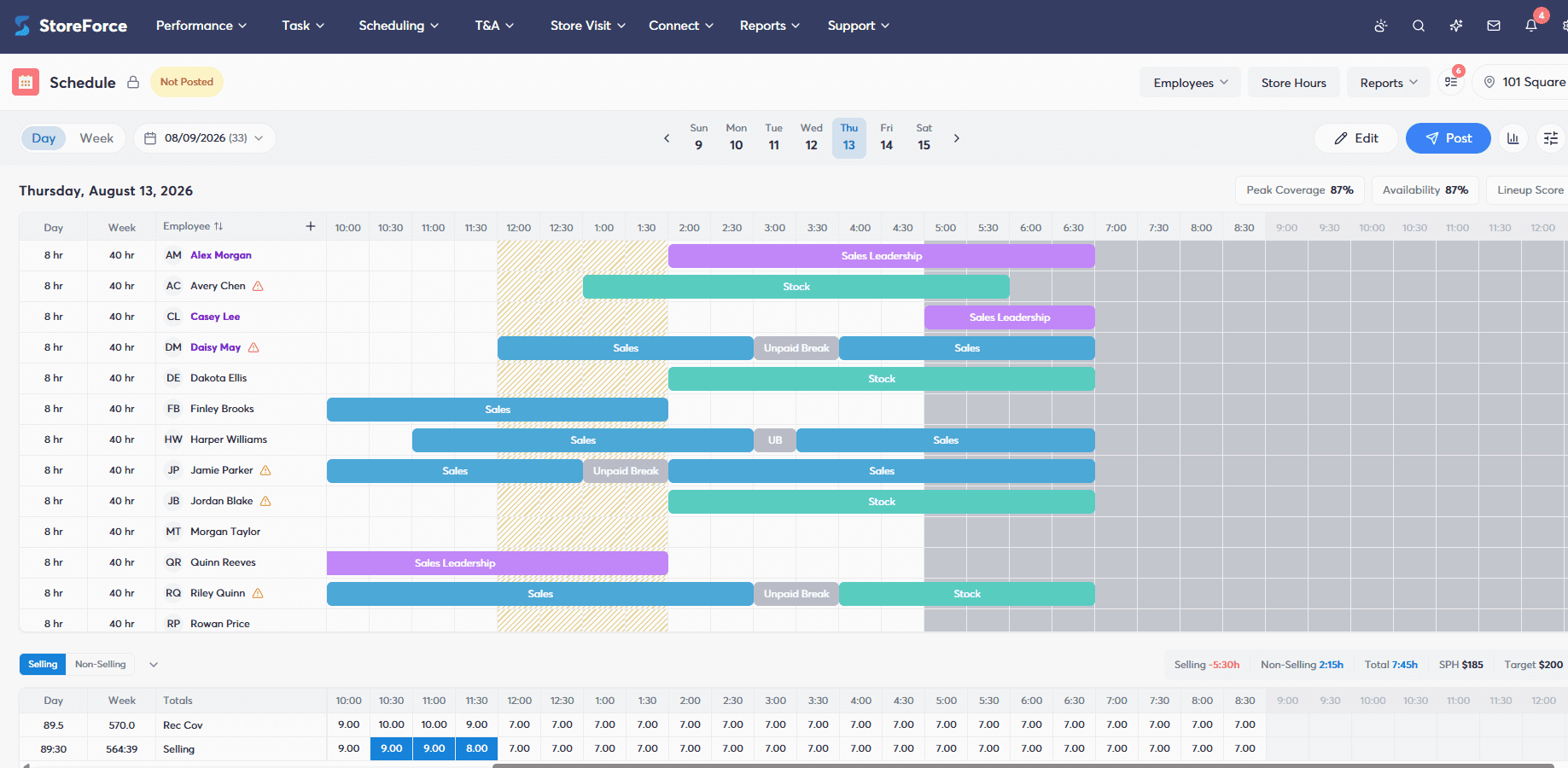
2. Capture Employee Availability Digitally
The other side is understanding when employees can actually work.
Managing availability manually can become complicated quickly.
Employees may communicate availability through conversations, texts, emails or paper requests. Managers then have to remember or consolidate that information while creating the schedule.
Digital workforce management platforms give retailers a more centralized way to manage employee availability.
Employees can communicate when they are available to work and manage relevant scheduling information through the platform, giving managers a clearer picture of the workforce they have available before schedules are created.
Now the retailer has two important pieces of information:
When customers are expected to arrive.
When employees are available to work.
The next step is bringing them together.
3. Translate Customer Traffic Into Labor Requirements
Knowing when customers are coming does not automatically tell a retailer how many employees should be working.
Traffic needs to be translated into a workforce requirement.
For example, knowing that traffic is expected to increase significantly between noon and 3 p.m. is useful. But managers still need to determine what that increase means for the number of employees required on the floor.
Digital workforce management tools can help retailers use expected customer demand and other business information to determine labor requirements throughout the day.
This gives managers a more informed starting point for scheduling.
Instead of simply deciding:
We usually have five people working on Saturday.
The question becomes:
Based on the customer opportunity we expect this Saturday, how much coverage do we actually need and when do we need it?
That shift can help retailers move from static staffing patterns toward schedules that better reflect what is happening in their stores.
4. Build Schedules Around Demand and Availability
Once retailers understand both labor requirements and employee availability, those inputs can be brought together during schedule creation.
This is where digital scheduling becomes particularly valuable.
A manager creating a schedule manually may begin with the employees who are available and work outward from there.
For example:
Sarah is available Saturday, so Sarah gets a Saturday shift.
Demand-based scheduling approaches the problem differently.
The retailer may know that its biggest customer opportunity is expected between noon and 4 p.m. on Saturday.
The question then becomes:
Which employees are available during the period when we need coverage most?
Digital workforce management platforms can help retailers account for employee availability alongside expected demand, labor requirements and other scheduling rules when building the schedule.
That makes availability an input into the workforce plan rather than the factor that determines the plan by itself.
5. Protect Peak Coverage
Having the correct number of labor hours does not necessarily mean those hours are being used effectively.
Consider a store with 80 labor hours available for a particular day.
On paper, 80 hours may be exactly what the store requires.
But where those hours are scheduled matters.
If too many are concentrated during quieter periods and too few fall during the busiest parts of the day, the store can still find itself without enough coverage when customers are most likely to buy.
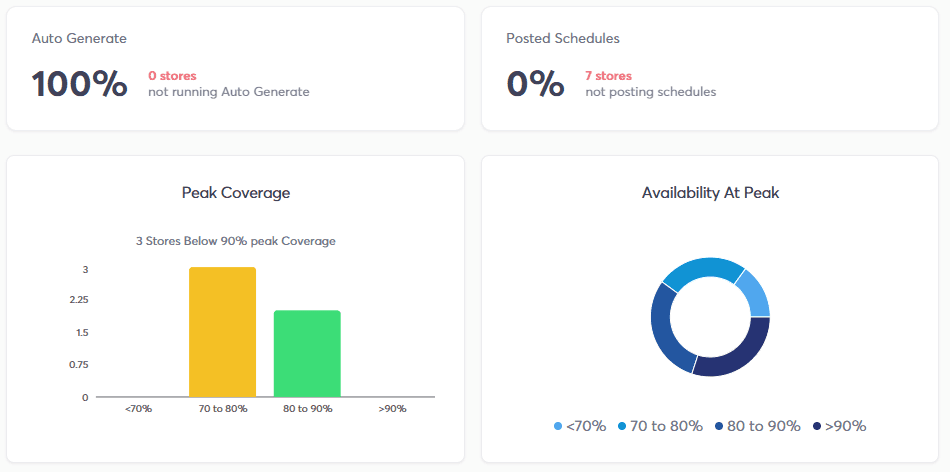
This is why retailers should pay attention to peak coverage.
Peak coverage is about making sure appropriate staffing is available during periods of greatest customer opportunity.
For example, a retailer may expect customer traffic to peak between 1 p.m. and 4 p.m.
A schedule that places more of the available labor around that period may create greater value than one that spreads the same number of hours evenly throughout the day.
The labor budget has not necessarily changed.
Where the labor is being used has.
Digital tools can make these periods easier to identify and help managers build schedules that protect the times when stores need coverage most.
6. Consider Who Is Available, Not Just How Many
Retail coverage is not purely a headcount exercise.
Having five employees available does not necessarily mean having the right five employees for every situation.
Employees can have different roles, skills, responsibilities and levels of experience.
During quieter periods, a store may have more flexibility in how the team is composed. During its biggest selling periods, having the right mix of employees available can become much more important.
Digital workforce management tools can give retailers more information to consider when building schedules than employee availability alone.
Instead of asking:
Do we have enough people?
Retailers can think about:
Do we have the right coverage for what we expect to happen in the store?
That becomes particularly important during peak periods when every customer interaction represents an opportunity.
Take control of your store performance
Book a demo with StoreForce today and run your retail operations better tomorrow.
Book A Demo
7. Keep Adjusting as Customer Demand Changes
Aligning employee availability with customer traffic is not something retailers do once.
Customer behaviour changes.
Seasonality can affect when people shop. Promotions can create unexpected spikes in demand. Holidays can change normal traffic patterns. Individual stores can develop different patterns based on their location and customer base.
Retailers therefore need to continually compare what they expected to happen with what actually happened.
Digital platforms can make historical and current information easier to use when planning future labor.
Over time, retailers can identify patterns, adjust forecasts and continue refining when and where labor is scheduled.
That creates a cycle:
Understand demand.
Determine labor requirements.
Review employee availability.
Build the schedule.
See what actually happens.
Use those insights to improve the next schedule.
The result is a workforce plan that can continue adapting alongside the business.
How Does StoreForce Help Align Team Availability With Customer Traffic?
StoreForce helps retailers connect employee availability with the customer demand and labor requirements that determine when stores need coverage.
Rather than building schedules around availability alone, StoreForce Intelligent Scheduling helps retailers use factors such as traffic patterns, sales forecasts and performance data to guide staffing decisions.
Employee availability can then be considered alongside those requirements when schedules are created.
This helps retailers move through a connected workforce planning process:
Customer traffic and demand
↓
Labor requirements
↓
Employee availability
↓
Intelligent scheduling
↓
Peak coverage
For multi-location retailers, that process can also be applied across stores with different customer patterns and workforce requirements.
One location may experience its busiest period on a weekday afternoon. Another may generate significantly more traffic on evenings and weekends.
The objective is not to force every store into the same staffing pattern.
It is to help each location put its available labor where customer demand indicates it can have the greatest impact.
Why Does Better Alignment Between Availability and Traffic Matter?
Retailers have a finite amount of labor available.
The question is how effectively that labor is deployed.
A retailer could stay within its labor budget, schedule the correct number of weekly hours and fill every required shift while still having a mismatch between staffing and customer demand.
That can create two problems.
During quieter periods, stores may have more coverage than they need.
During peak periods, stores may not have enough employees available to take advantage of customer opportunities.
Digital workforce management tools can help retailers reduce that mismatch by bringing employee availability and customer demand into the same scheduling decision.
The goal is not simply to schedule every available employee or fill every open shift.
It is to make sure the labor a retailer already has is available at the moments when it can have the greatest impact.

Retail Execution With StoreForce
Improving labor, tasks and overall execution is just a click away. Book a demo today and see what the right retail workfroce manageemnt software can do for your teams
Speak To A Retail Expert