How to Best Create a Retail Work Schedule for Employees
Learn how to create a work schedule for employees step by step. See what managers should consider and how scheduling software like StoreForce helps.
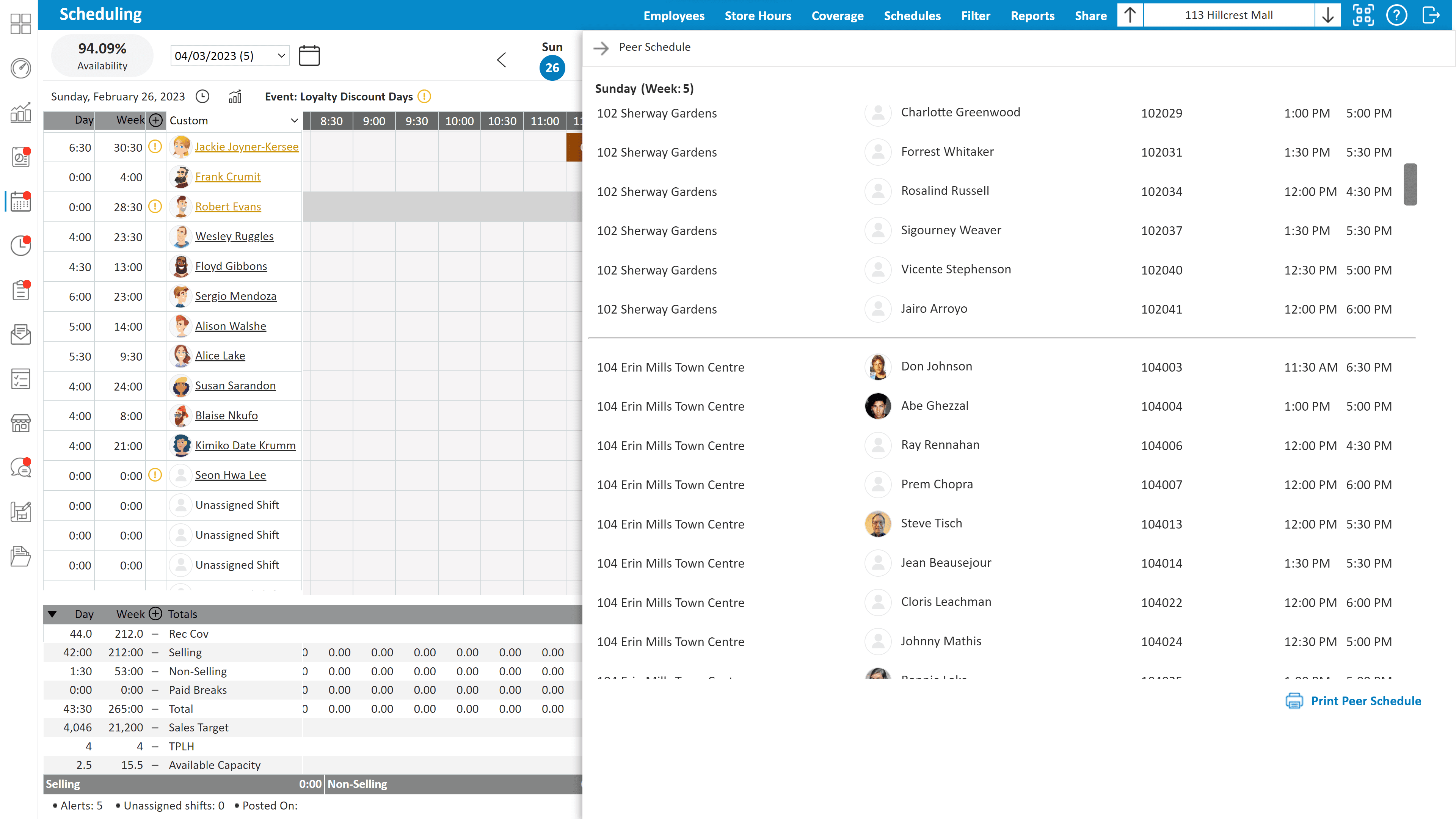
If you want to learn how to create an optimal and high-quality work schedule for employees, you are not alone. Many retail managers struggle with scheduling every week. Creating a work schedule for employees takes time, planning, and a clear understanding of store traffic, staff availability, and sales goals.
A good employee schedule keeps stores staffed at the right times, avoids overstaffing, and helps teams stay productive. A bad schedule leads to missed sales, frustrated staff, and managers spending hours fixing problems.
You can create a work schedule manually. Many managers still use spreadsheets or paper schedules. But if you want a schedule that truly supports store performance, using scheduling technology like StoreForce makes a major difference.
Let’s walk through how to create a work schedule for employees step by step and where the right software helps managers build better schedules faster.
Why Creating an Effective Employee Work Schedule Matters So Much
Employee scheduling is not just about filling shifts. It directly impacts sales, customer experience, and team morale.
When schedules are built carefully, stores benefit in several ways:
Staff are available when customer traffic is highest
Labor hours stay aligned with sales targets
Managers spend less time fixing schedule conflicts
Employees know their shifts in advance
Stores run more consistently across locations
In retail, timing matters. If you have too few employees during peak hours, customers wait longer and sales opportunities disappear. If you schedule too many people during slow periods, labor costs increase.
This is why learning how to create a work schedule for employees the right way is so important. It is not just about organizing shifts. It is about supporting store performance.
Take control of your store performance
Book a demo with StoreForce today and run your retail operations better tomorrow.
Book A Demo
Every Key to Consider Before Creating a Work Schedule
Before you begin building a schedule, there are several things every manager needs to review.
Sales and Traffic Patterns
Look at when your store is the busiest. Weekends, evenings, and promotions often require more staff. Historical sales data can help identify these patterns.
Employee Availability
Not every employee can work every shift. Managers must track availability, preferred hours, and time off requests before building a schedule.
Labor Targets
Most retailers operate with labor budgets tied to sales forecasts. Schedules must stay within these targets while still keeping the store properly staffed.
Employee Skill Sets
Some roles require trained staff. For example, experienced associates may be needed during high traffic periods or for certain departments.
Store Tasks
Retail teams do more than serve customers. They handle shipments, merchandising, cleaning, and inventory counts. These tasks should be considered when building schedules.
Managers can track these factors manually, but it quickly becomes complicated. This is where scheduling systems like StoreForce give managers a clearer picture of what their store actually needs.
Step-By-Step Process for Creating a Work Schedule for Employees
Here is a simple process managers can follow when creating employee schedules.
1. Review Sales Forecasts
Start by looking at expected sales for the upcoming week. This helps determine how many labor hours your store should use.
With StoreForce, forecasts and labor targets appear directly inside the scheduling system so managers can plan shifts around real data.
2. Identify Peak Traffic Times
Next, look at when your store is the busiest. These periods need stronger staffing coverage.
Without technology, managers often rely on memory or rough estimates. StoreForce shows traffic patterns and historical performance so managers know exactly when to schedule more employees.
3. Gather Employee Availability
Before placing shifts, confirm when employees are available to work. This avoids last minute schedule changes.
Scheduling software keeps availability records in one place so managers do not need to chase employees for updates every week.
4. Assign Shifts Based on Demand
Now managers begin placing employees into shifts based on traffic needs and labor budgets.
This step becomes much easier when software shows how many employees are needed during each hour of the day.
StoreForce helps managers align shifts with real store demand rather than guessing.
5. Check Labor Hours
Before publishing the schedule, confirm that total hours stay within labor targets.
When using spreadsheets, this step can take a lot of manual checking. StoreForce automatically tracks labor usage while schedules are being built.
6. Publish the Schedule
Once everything looks correct, the schedule can be shared with the team. Scheduling software allows employees to see their shifts instantly instead of waiting for printed schedules.
Best Practices for Building Efficient Employee Schedules
Managers who build strong schedules often follow a few simple practices.
Schedule Around Sales, Not Habits
Many managers repeat the same schedules every week. But customer traffic changes. Schedules should follow sales patterns instead.
Plan Schedules Early
Publishing schedules earlier gives employees more time to plan their week and reduces last minute changes.
Balance Workloads
Try to distribute shifts fairly among employees while still meeting store needs.
Watch for Overstaffing
Too many employees on slow days increases labor costs without improving sales.
Use Data When Possible
The more information you have about traffic, sales, and staffing needs, the easier scheduling becomes.
This is where technology becomes a real advantage. Instead of guessing, managers can rely on store data to guide scheduling decisions.
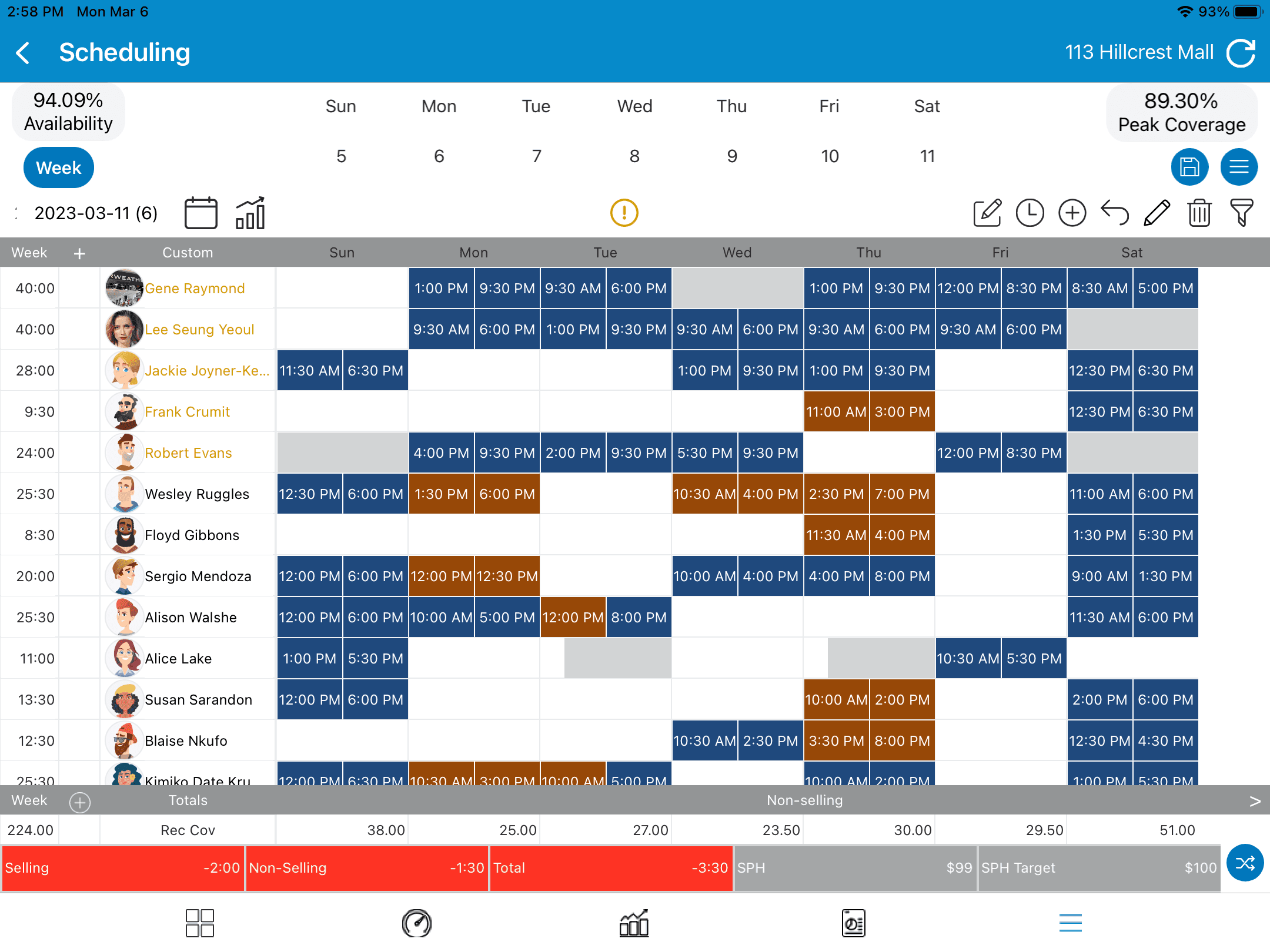
Using Technology (StoreForce) to Simplify Employee Scheduling and Remove Manual Process
Learning how to create a work schedule for employees is much easier when managers have the right tools.
Manual scheduling methods like spreadsheets can work for very small teams. But as stores grow and schedules become more complex, these methods start to break down.
Scheduling software like StoreForce helps managers:
Build schedules faster
Align staffing with sales forecasts
Track labor hours in real time
Manage employee availability
Keep tasks and store goals visible to the team
Instead of juggling spreadsheets, emails, and printed schedules, everything lives in one system.
For multi-location retailers, this becomes even more valuable. Regional leaders can see how stores are scheduling teams and ensure labor is being used effectively across locations.
Managers still make the decisions, but StoreForce gives them the data and structure needed to create stronger schedules.
If your team is still building schedules manually, it may be time to look at a better approach. The right scheduling system can help stores run more consistently, reduce labor problems, and free managers to focus on serving customers.

See How StoreForce Can Work for Your Stores
See how StoreForce brings employee scheduling, labor optimization, task management, and store execution together in one retail workforce management platform. Book a demo today to see what StoreForce can do for your teams.
Speak To A Retail Expert


