Shift Schedule Maker: Moving Away From Generators, Templates
A shift schedule maker can build basic staff schedules, but retail teams need more. Learn why many businesses are moving beyond generators and templates to smarter scheduling tools.
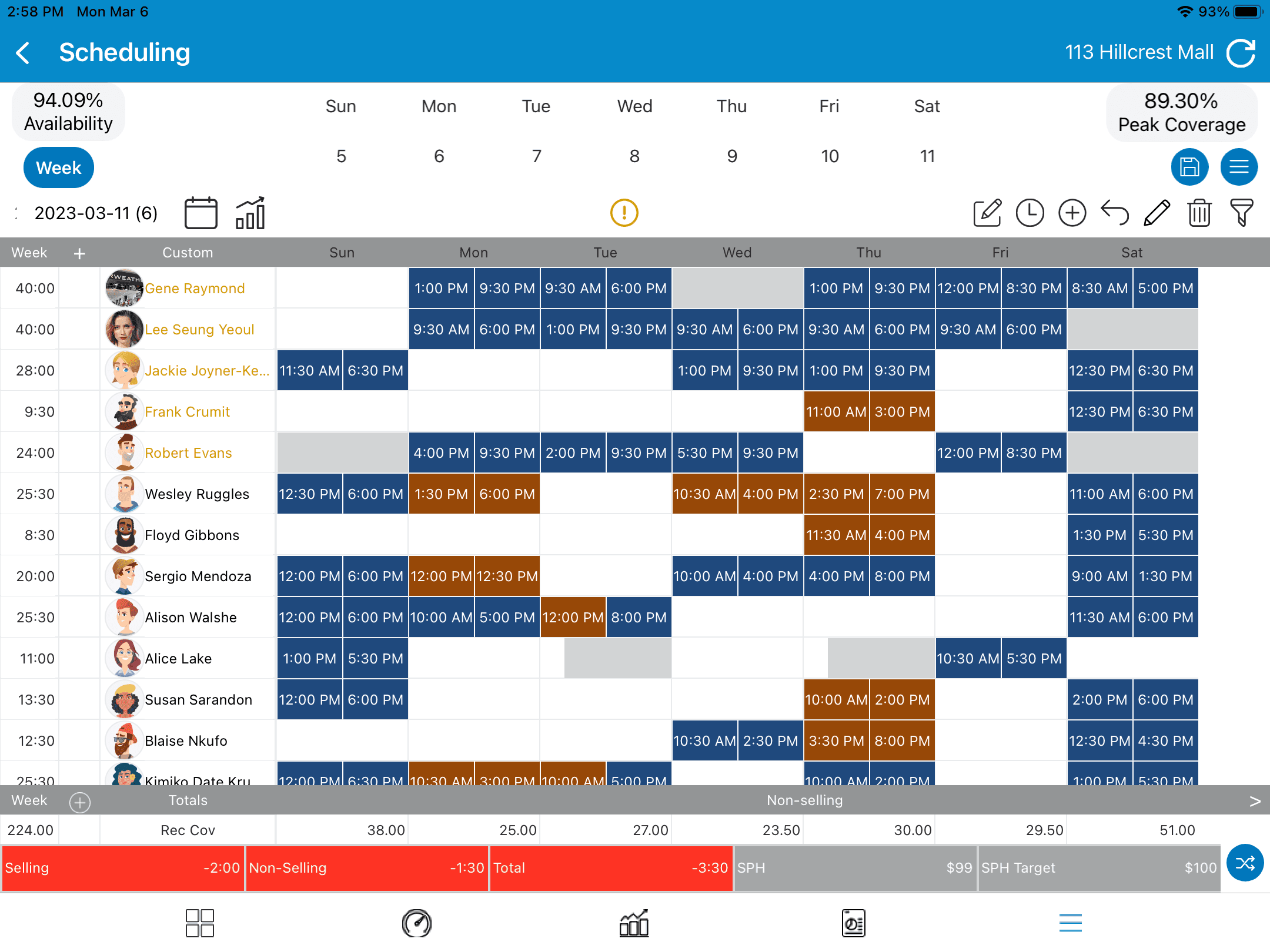
Many retail and service businesses still rely on a shift schedule maker to organize their weekly staffing plans. These tools, along with spreadsheets and templates, help managers quickly assign shifts and publish schedules to their teams.
For simple operations, a shift schedule maker can get the job done. But scheduling today is tied closely to how well a store performs.
This is where many basic shift schedule maker tools start to fall short. They can generate a schedule, but they do not give managers the insight or control needed to manage labor, store priorities, and performance at the same time.
Why Shift Schedule Makers Are Things of the Past
A shift schedule maker used to be the easiest way to build a weekly work schedule. Managers could enter names, assign hours, and generate a simple shift plan in minutes. For years, shift schedule maker tools and templates were the standard solution for retail stores and service businesses.
But retail has changed.
Stores now deal with fluctuating traffic, labor targets, performance metrics, and multiple locations. A basic shift schedule maker cannot keep up with the level of coordination modern store teams need.
Managers today need to do more than just fill shifts. They need to make sure the right employees are scheduled at the right time, based on store traffic, sales goals, and labor budgets. A simple shift schedule maker was never built for that level of visibility.
As retail operations grow more complex, many businesses are moving away from generators and spreadsheets and toward tools that connect scheduling with the rest of store operations.
Take control of your store performance
Book a demo with StoreForce today and run your retail operations better tomorrow.
Book A Demo
The Limitations of a Basic Shift Schedule Maker
A shift schedule maker can build a schedule, but that is usually where the value stops.
Most shift schedule maker tools work like digital templates. They allow managers to assign shifts, but they do not provide deeper insight into what is happening inside the store.
Common problems include:
No connection to sales or traffic data
No visibility into labor costs while building schedules
No way to link tasks or store priorities to scheduled shifts
Limited communication between managers and store teams
Manual updates when employees swap shifts or call in sick
Because of these limits, managers often end up juggling several systems at once. The shift schedule maker creates the schedule, but other tools are still needed to track tasks, monitor performance, and manage store execution.
This adds extra work for managers and increases the chances of mistakes or missed information.
When Teams Need More Than a Shift Schedule Maker
As stores grow, scheduling becomes less about filling time slots and more about running the business properly.
Retail managers need answers to questions like:
Are we scheduling enough staff during peak hours?
Are labor costs aligned with sales targets?
Are experienced team members working during high traffic periods?
Are store tasks assigned to the right shifts?
A basic shift schedule maker cannot answer these questions.
Most shift schedule maker tools simply place employees into time slots. They do not show how those shifts connect to what is actually happening in the store. A manager might build a full schedule, but still have too few employees during busy hours or too many staff during slow periods.
This leads to common problems across retail operations.
When a store is understaffed during peak traffic, customer service suffers. Employees feel rushed, sales opportunities are missed, and the store experience becomes inconsistent.
When a store is overstaffed during slow periods, labor costs climb without adding real value to the business.
Another issue is skill coverage. A shift schedule maker does not know which employees are top sellers, product experts, or strong leaders on the floor. Without that insight, schedules can leave key hours without the right people working.
Managers also must think about store execution. Retail stores run on daily priorities like visual updates, promotions, inventory tasks, and operational checklists. If these tasks are not connected to scheduled shifts, they often fall through the cracks.
This is why many managers end up making constant manual adjustments throughout the week. They move people around, fill gaps, and try to balance labor and workload after the schedule is already published.
Instead, managers need tools that connect scheduling with real store data.
When scheduling is tied to sales performance, traffic patterns, labor targets, and daily store priorities, managers can plan shifts that support how the store operates.
The schedule becomes more than a calendar. It becomes a tool for managing labor, improving execution, and helping store teams perform at a higher level. This is where modern workforce platforms start to replace the traditional shift schedule maker.
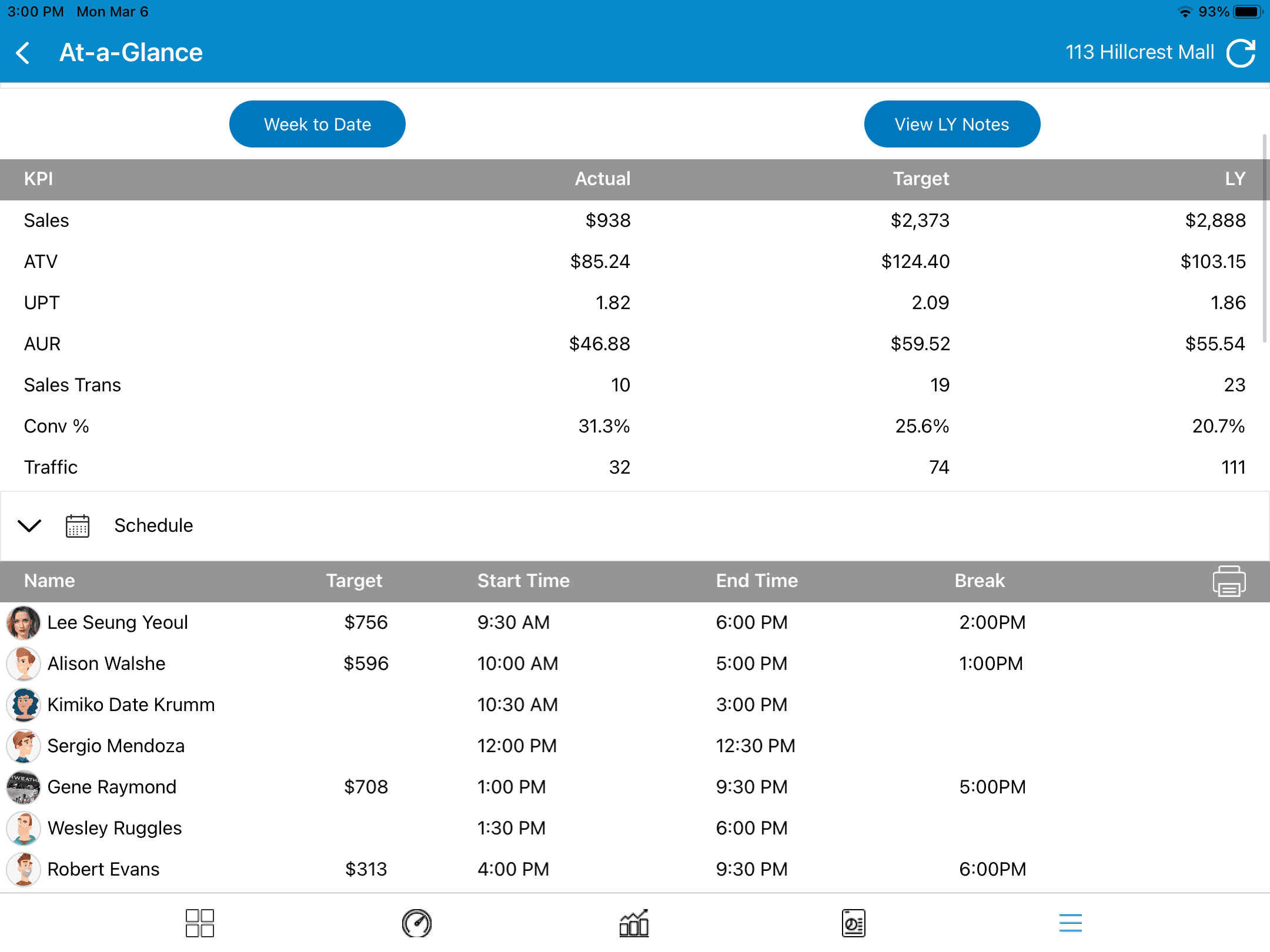
The Shift Toward Integrated Workforce Tools
Many retail companies are now moving beyond the traditional shift schedule maker and adopting integrated workforce tools.
Instead of treating scheduling as a separate task, these platforms connect scheduling with daily store operations.
This allows managers to:
Build schedules using real sales and traffic insights
Monitor labor budgets while scheduling
Assign daily tasks alongside shifts
Track store performance across multiple locations
Keep teams aligned on priorities and expectations
Platforms like StoreForce bring these pieces together in one system. Managers can plan schedules, track store execution, and monitor performance without switching between different tools.
This saves time for store leaders while also helping teams stay focused on what matters most during each shift.
The Future of Workforce Scheduling
The future of scheduling is not just about creating a schedule. It is about making sure every shift supports store performance.
A shift schedule maker may still work for very small teams. But as businesses grow, the limits of basic generators and templates quickly become clear.
Retail teams need systems that help them understand how scheduling affects sales, labor costs, and store execution. Instead of guessing how many people should be working, managers need visibility into what is happening in the store and how staffing decisions affect results.
Modern workforce platforms connect scheduling with real operational data. Managers can see labor targets while building schedules, understand traffic patterns, and make sure experienced employees are working during high impact hours.
Platforms like StoreForce take this a step further by bringing scheduling, task management, and performance tracking together in one system.
Managers can:
Build schedules while keeping labor targets and store performance in view
Assign tasks directly to scheduled shifts so teams know what needs to be done
Monitor store performance and execution across multiple locations
Keep store teams aligned with daily priorities and company goals
Instead of managing schedules in one tool, tasks in another, and performance somewhere else, everything lives in one place. This gives retail leaders a clear view of what is happening in every store and helps managers stay focused on running their teams.
For many retailers, moving beyond the traditional shift schedule maker is not just an upgrade. It is a step toward running stores with more clarity, better staffing decisions, and stronger execution every day.


See How StoreForce Can Work for Your Stores
See how StoreForce brings employee scheduling, labor optimization, task management, and store execution together in one retail workforce management platform. Book a demo today to see what StoreForce can do for your teams.
Speak To A Retail Expert


